Weighted Products (Price by Weight)
Sell products priced by weight — the cashier enters the weight at the POS and Point calculates the price automatically.
What You'll Learn
- How to create a Weighted product type with a price per unit weight
- How the weight entry works at the POS
- How the line total is calculated
Before You Begin
- You need access to Products to add new products
- Decide the price per unit weight (e.g. SAR 20 per kg)
Step 1: Go to Products
From the left sidebar, click Products.
Step 2: Click Add Product > Weighted
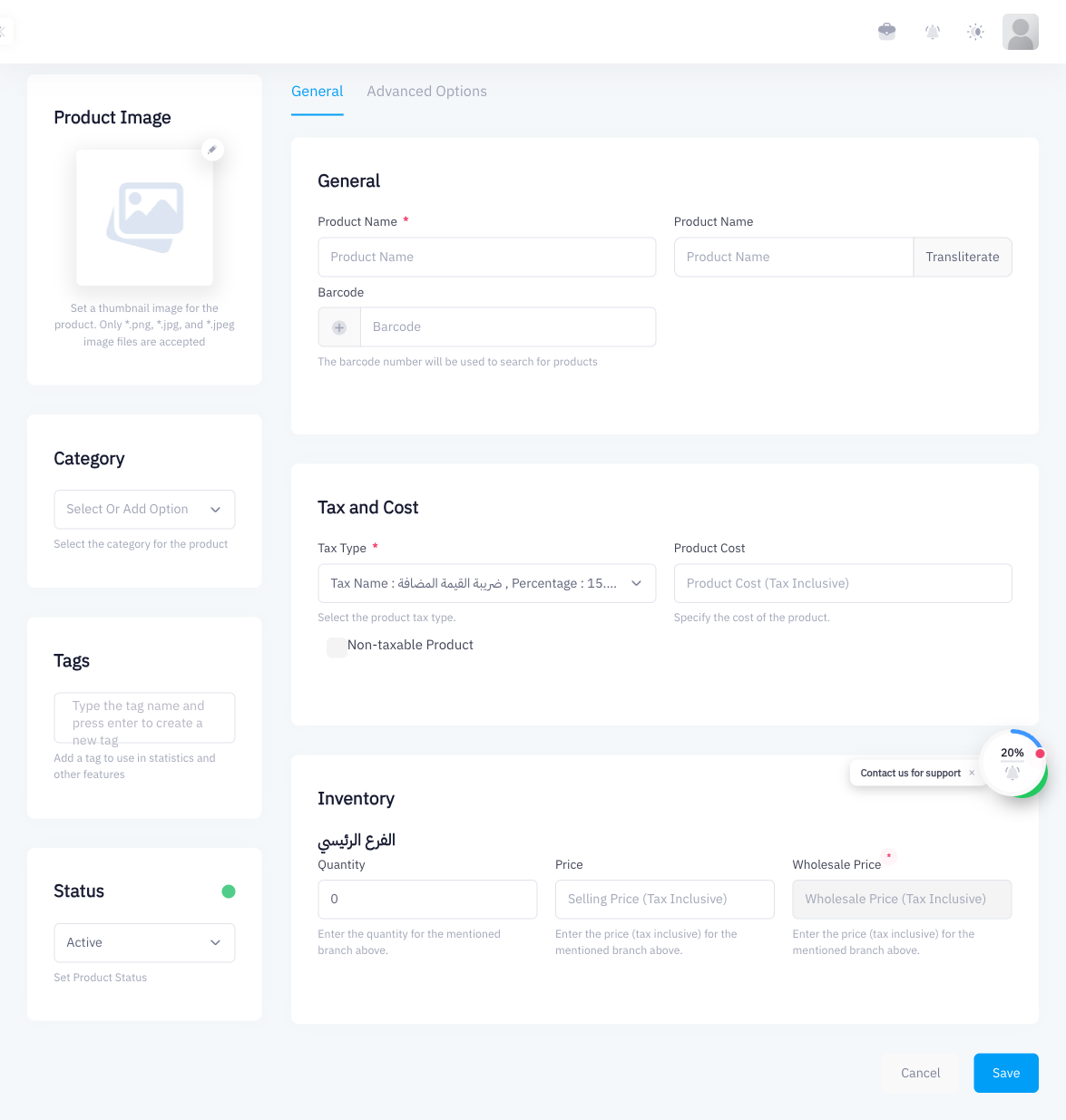
Click Add Product. In the product type selection, choose Weighted. This tells Point that the price for this product depends on a weight entered at the time of sale.
Step 3: Enter the Product Name
Type the product name (for example, "Basmati Rice" or "Mixed Nuts"). As always, add an English name as well if ZATCA Phase 2 is active.
Step 4: Set the Price per Unit Weight
Enter the price in the price field. This is the rate per unit of weight (for example, 20 to mean SAR 20 per kilogram). Point uses this rate to calculate the line total when the cashier enters a weight.
Step 5: Set the Tax Type
Choose the appropriate Tax Type for this product (typically ضريبة القيمة المضافة 15%).
Step 6: Save the Product
Click Save. The product is now available in the POS product catalog.
Using a Weighted Product at POS
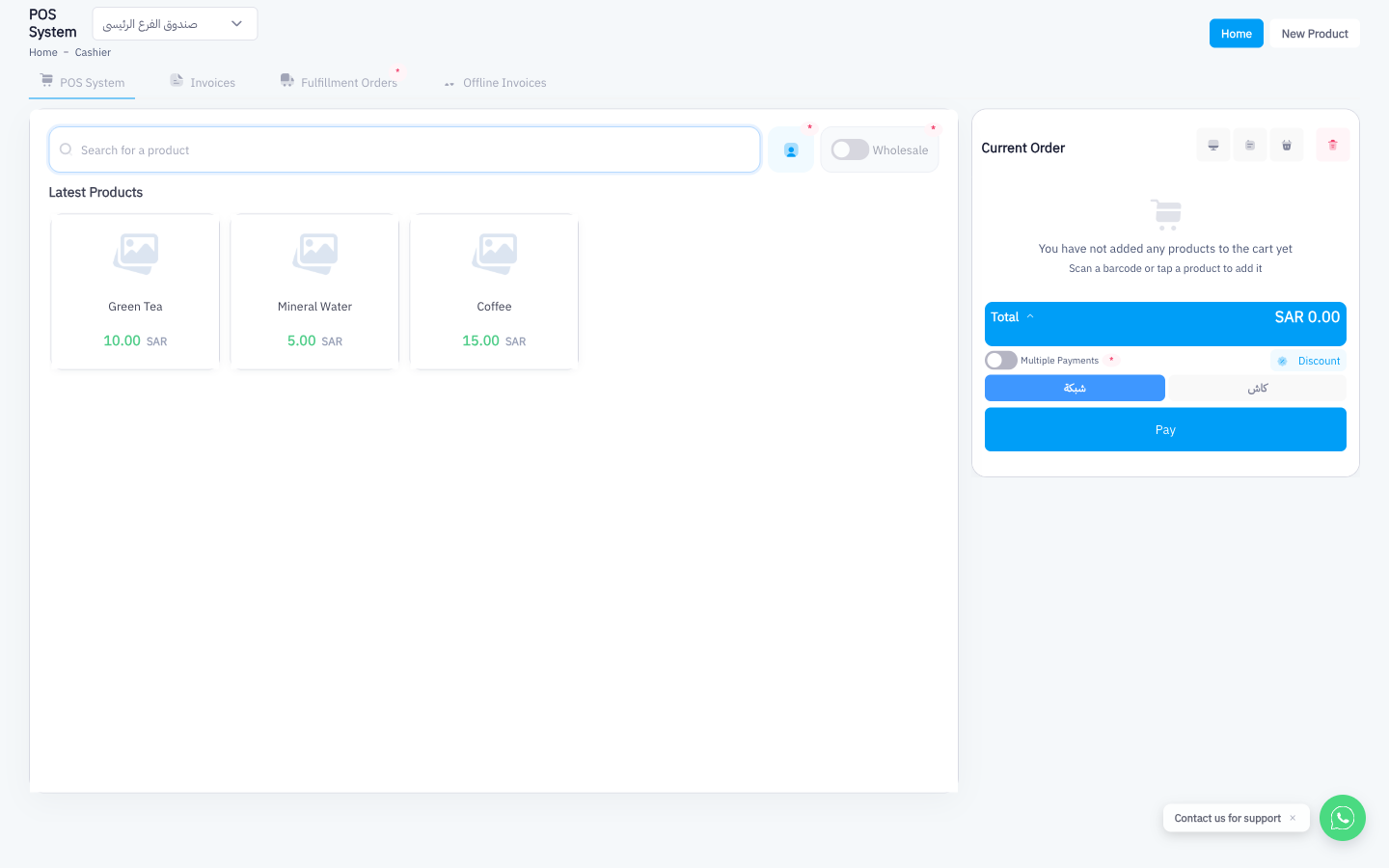
Step 7: Add the Product to the Cart
At the POS, search for the weighted product and tap it to add it to the cart.
Step 8: Enter the Weight
A weight entry field appears. Type the weight of the item (for example, 1.5 for 1.5 kg). The cashier can use a scale and enter the reading manually.
Step 9: System Calculates the Line Total
Point multiplies the weight by the price per unit:
Price per kg × Weight = Line Total
Example: SAR 20/kg × 1.5 kg = SAR 30
VAT is then calculated on top of the line total based on the product's assigned tax type.
Summary
Weighted products are designed for items sold by weight rather than by unit. Set the price per kilogram (or other unit) when creating the product, and Point handles the rest. At the POS, cashiers enter the weight and the line total is calculated instantly. This is ideal for bulk goods, deli items, or any product where the exact quantity varies per sale.