Auditing Permission Changes
Review who made changes to employee accounts and permission groups, and when those changes occurred.
What You'll Learn
- Where to find last-modified information for permission groups and employee accounts
- How to review which employees were added, removed, or updated
Before You Begin
- You need owner or manager access to view employee and permission group records
Step 1: Check the Employee Permissions List
Go to Employee Permissions (/groups) in the left sidebar. The groups list includes a Last Modified column that shows when each permission group was last changed and by whom.
Use this to quickly identify if a group's permissions were recently altered.
Step 2: Check the Employees List
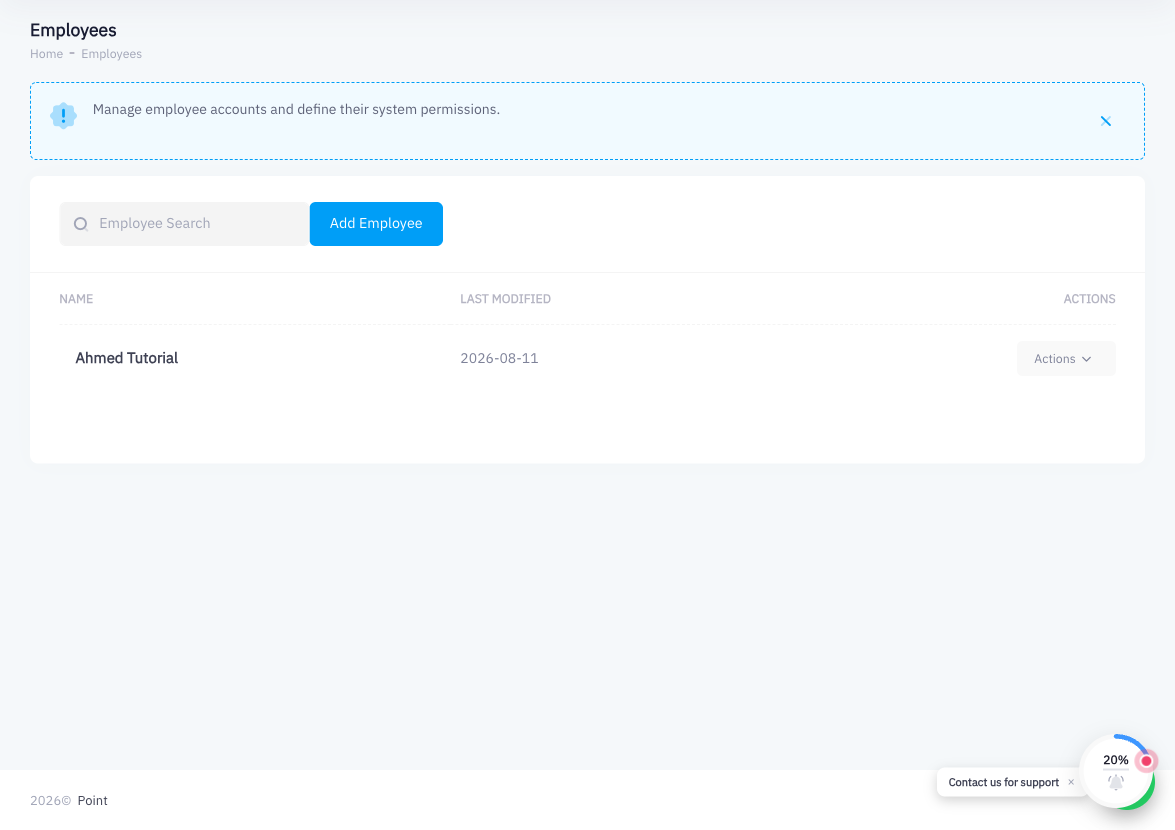
Go to Employees in the left sidebar. The employees list shows each account's creation date and last update. If an employee's account details or branch assignment were changed, the updated timestamp reflects that.
Step 3: Review Specific Changes
Click on a permission group to see its current state. If you need to investigate a specific change (for example, a permission that was removed without authorization), compare the current group settings against your expected configuration.
For employee accounts, click the employee's name to review their current permission group and branch assignments.
Step 4: Use the System Activity Log (If Available)
Detailed audit trail functionality (showing the exact before/after state of each change) may be available in your account's activity or audit log settings. If enabled, you can review individual field-level changes with timestamps and the user who made them.
When reviewing the audit log, look for:
- New employees added or removed
- Permission group assignments changed
- Branch access expanded or restricted
- Permission toggles modified within a group
Summary
Point tracks modification timestamps on both permission groups and employee records. The Last Modified column in the Employee Permissions list lets you quickly spot recent changes to group configurations. For more granular investigation, click into the individual group or employee record to review their current state. A detailed activity log is available in account settings if your configuration has it enabled. Regular audits of employee permissions help maintain access control hygiene and catch unauthorized changes early.